We went from sticky notes and radio calls to a system where everyone knows exactly what needs to be done. Our response time dropped by 40%.
Work Order Management Software for Schools
Work Orders That Actually Work
From request to resolution, manage every maintenance task with clarity. Staff submit requests in seconds, your team completes them with confidence.

Screenshot coming soon
Everything You Need
Explore the key features that make Work Orders powerful yet easy to use.
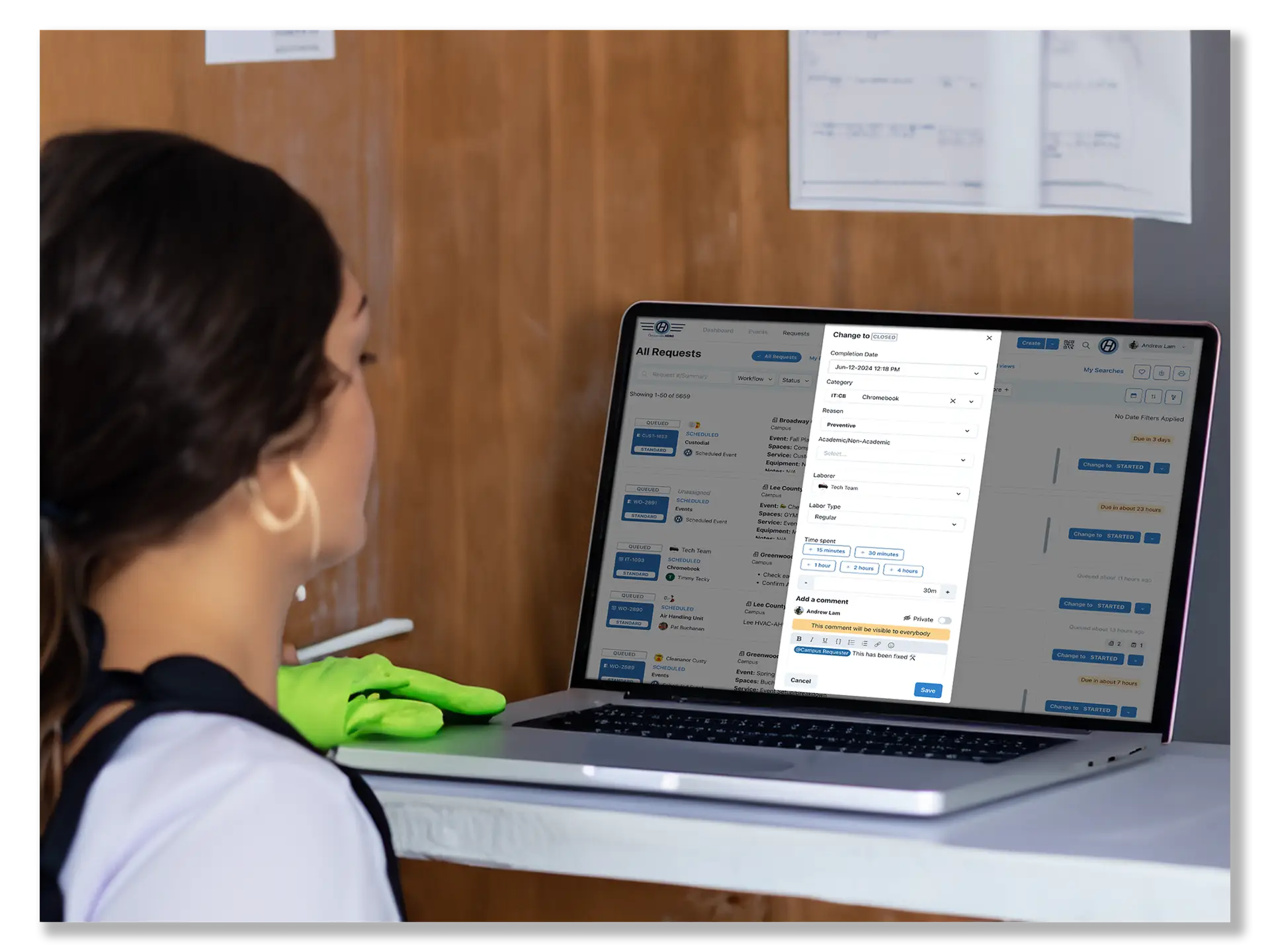
Create & Assign Work Orders
Streamline & assign all work in one central platform – your headquarters
- Streamline and assign all school maintenance tasks in one central platform
- Set up workflow rules based on how your campus operates
- View technicians' assigned work, locations, and productivity
- Easily assign or reassign work orders to keep your facilities running smoothly
- Attach pictures, files, invoices, parts, and more to support school facility management
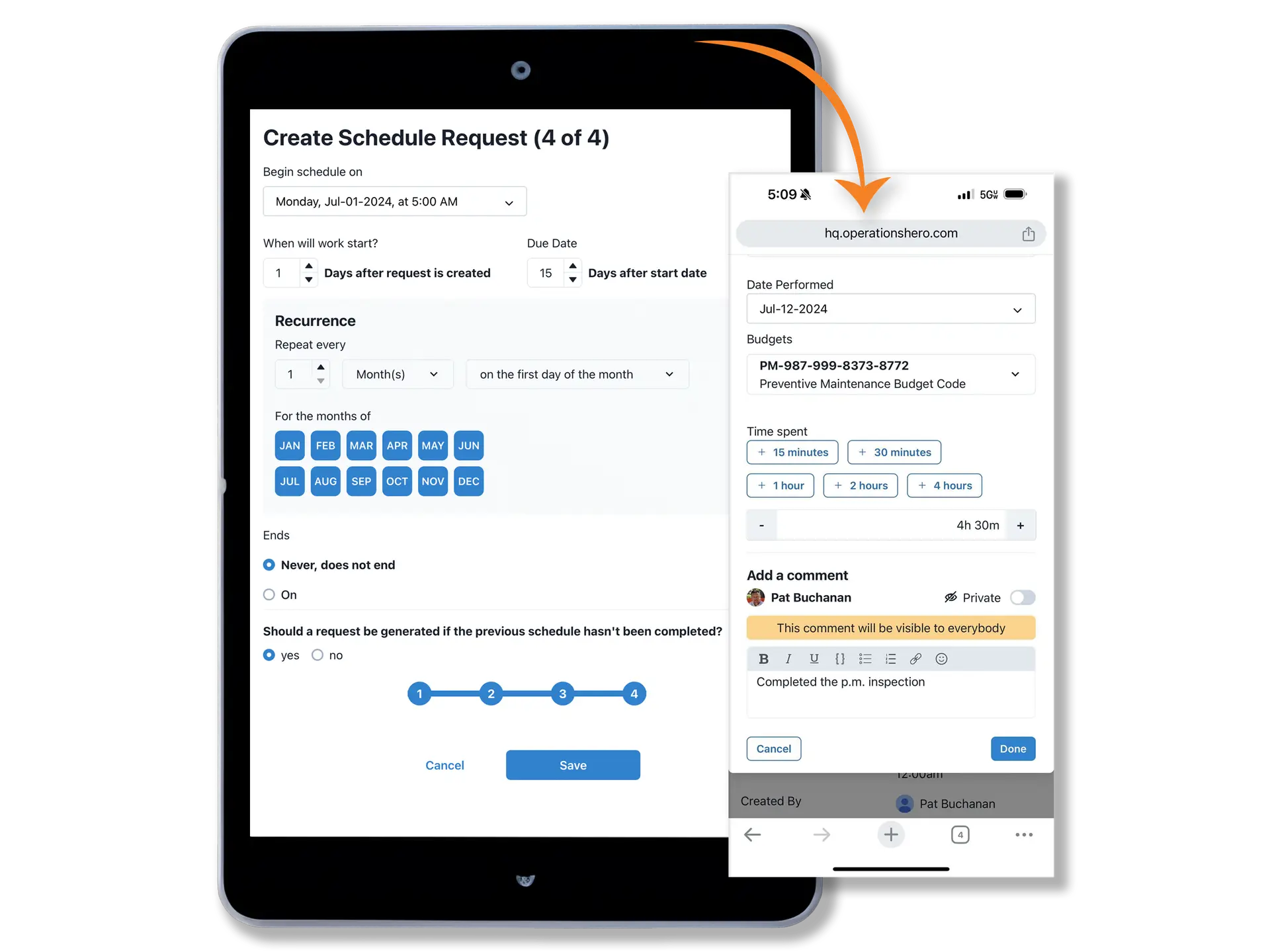
Preventative Maintenance
Four Easy Steps to Set-Up Your PM Program
- Flexible scheduling tailored to campus needs
- Easily create unlimited task books for campus assets and equipment
- PMs can go directly to vendors or district-approved contractors
- PM Effectiveness reporting to support school operational transparency
- Ability to create one PM schedule for multiple assets
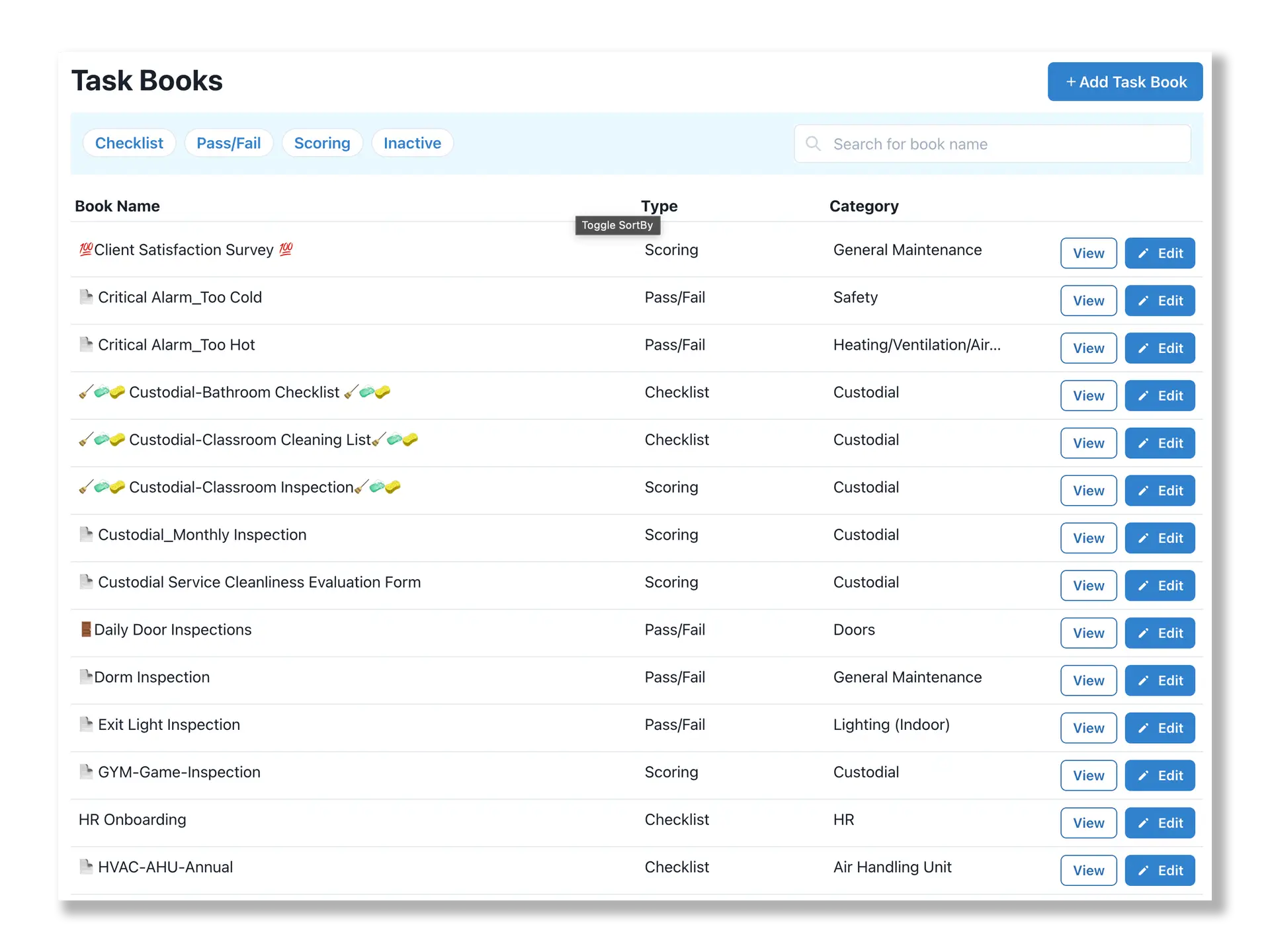
Inspections
Manage & track school-related inspections—Custodial, Fire Safety, Playground Safety, Indoor Air Quality & more.
- Pass/Fail assessments
- Customizable check-lists
- Scoring capabilities
- Mapping capabilities to easily find equipment
- Easy audit reporting
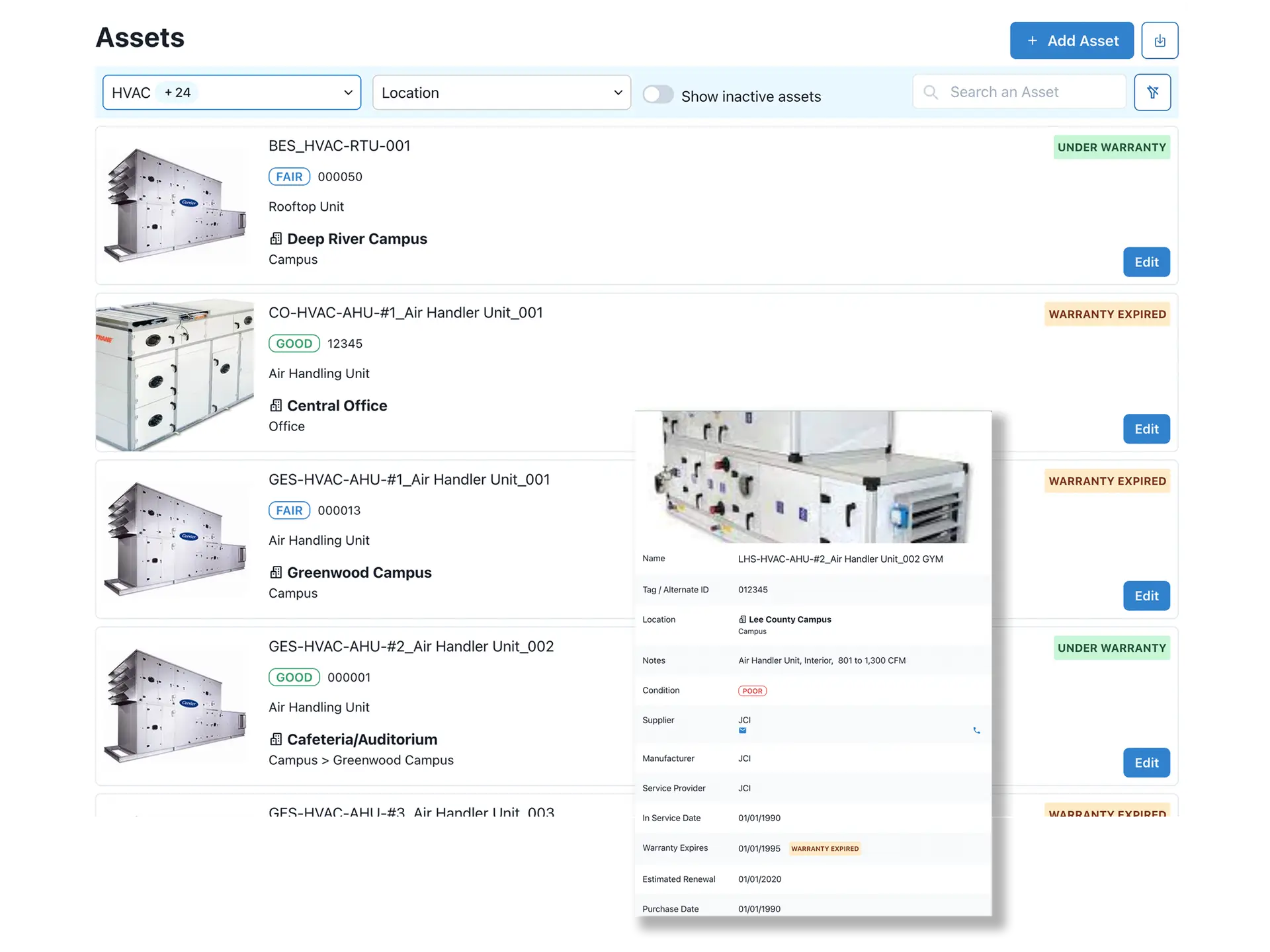
Assets
Track School's Fixed Assets to Make Informed Renew or Replace Decisions Across Your Campuses.
- Capture all the major details of the asset
- QR coding and scanning
- Access historical record of work on asset
- Determine repair or replace based on asset history
- Attach images, parts lists, OEM manuals, and more
Mobile
Easily Accessible on All Devices—Perfect for School Maintenance Staff in the Field or Across Campuses.
- Simple Request Forms
- Easy closure of work orders for technicians
- Attach assets and pictures to work orders while on site at school facilities
- Add inventory or expenses in real time to the work order for accurate school operations tracking
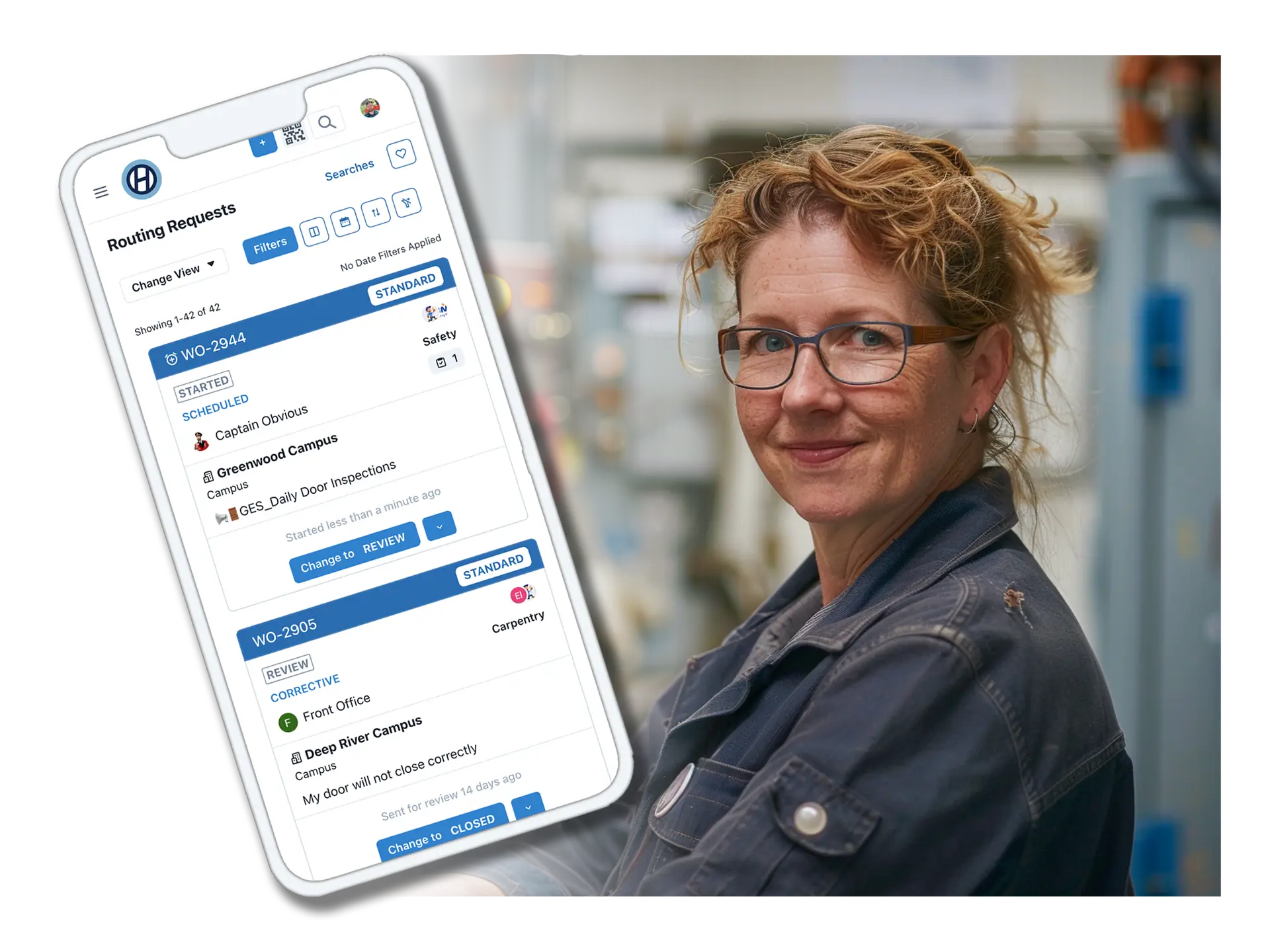
Easy To Use
Give everyone—from custodians to school technicians and supervisors—a user-friendly platform to efficiently manage maintenance and operations tasks.
- Simple request forms for staff across your school
- Easy closure of work orders for school technicians and custodial teams
- Supervisors can quickly see and act on pending work
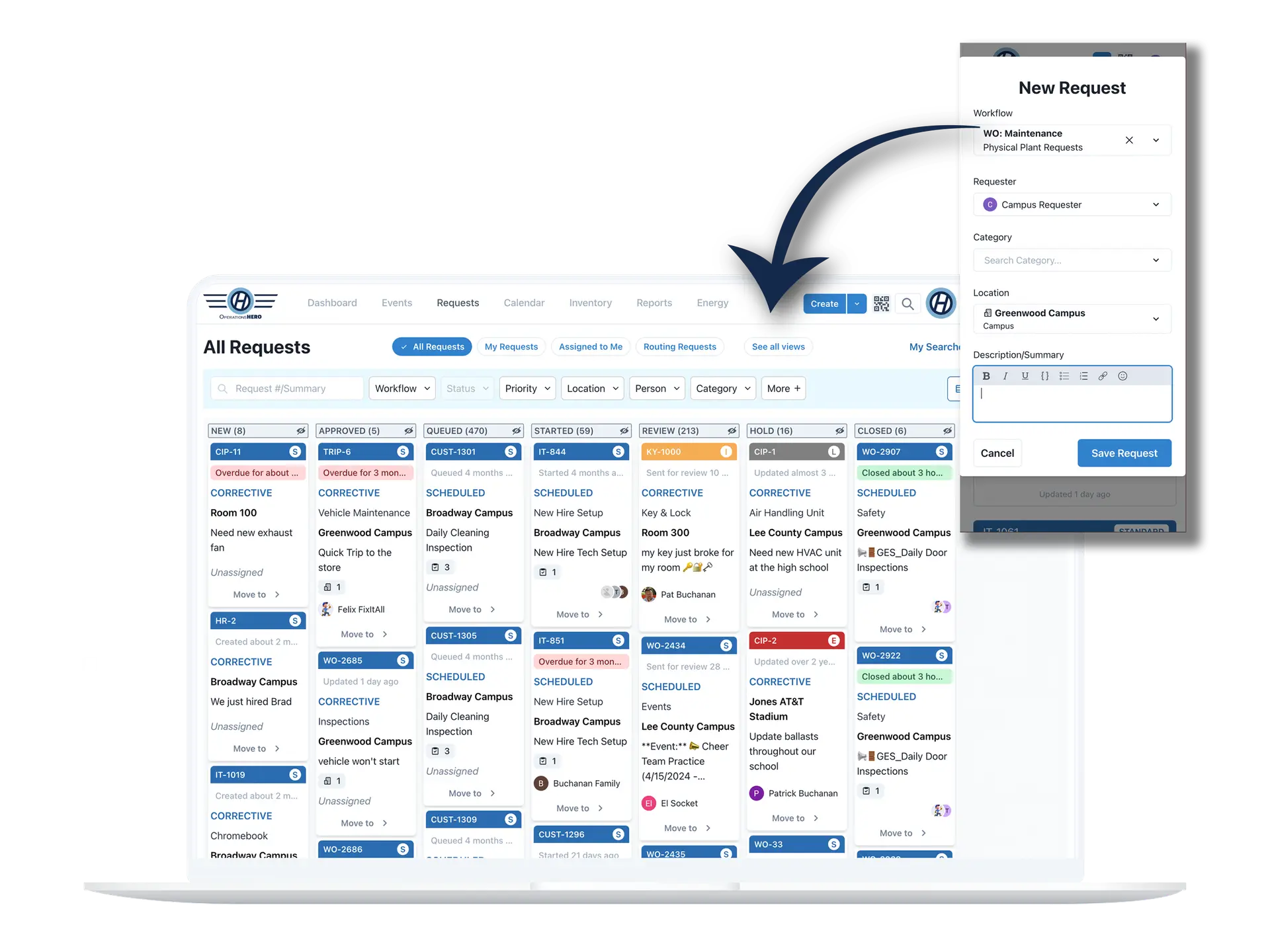
Flexible
Experience ultimate flexibility designed for K-12 schools, private schools, and higher education. Customize your view to only see the categories you manage, seamlessly import historical data and inventory, and access the system from any device—with full support for both light and dark modes.
- Customizable workflows to match your processes
- Use on multiple device types: phone, tablet, or desktop
- Customizable approval processes at the school location or craft category level
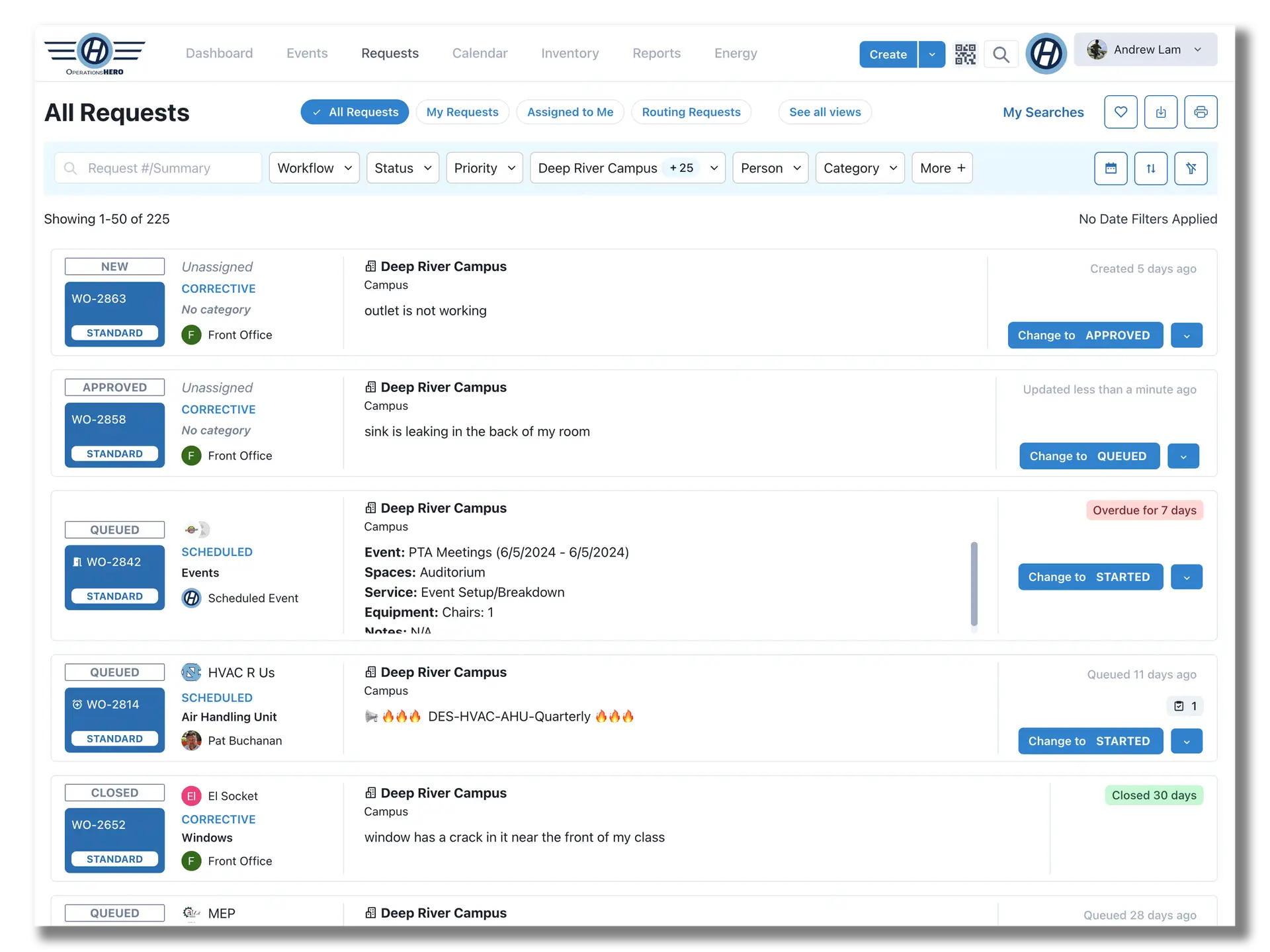
Advanced Functionality
Quickly understand where critical assets are located and proactively manage your reactive and proactive maintenance.
- Mapping capability
- Integrates reactive and proactive work in one tool
- Uses AI technology
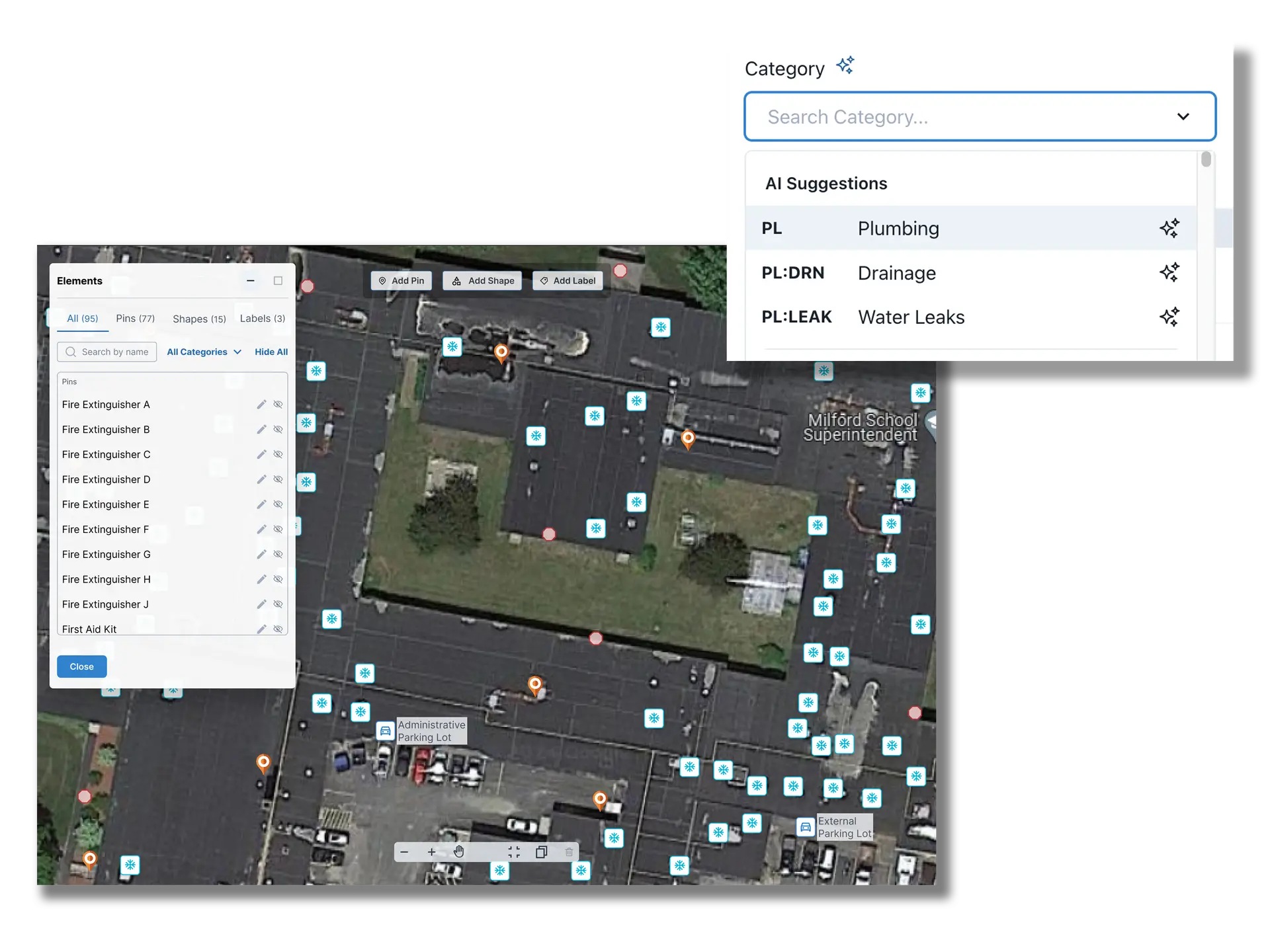
Additional Benefits
OperationsHERO allows you to utilize modern workflows for more efficient teams.
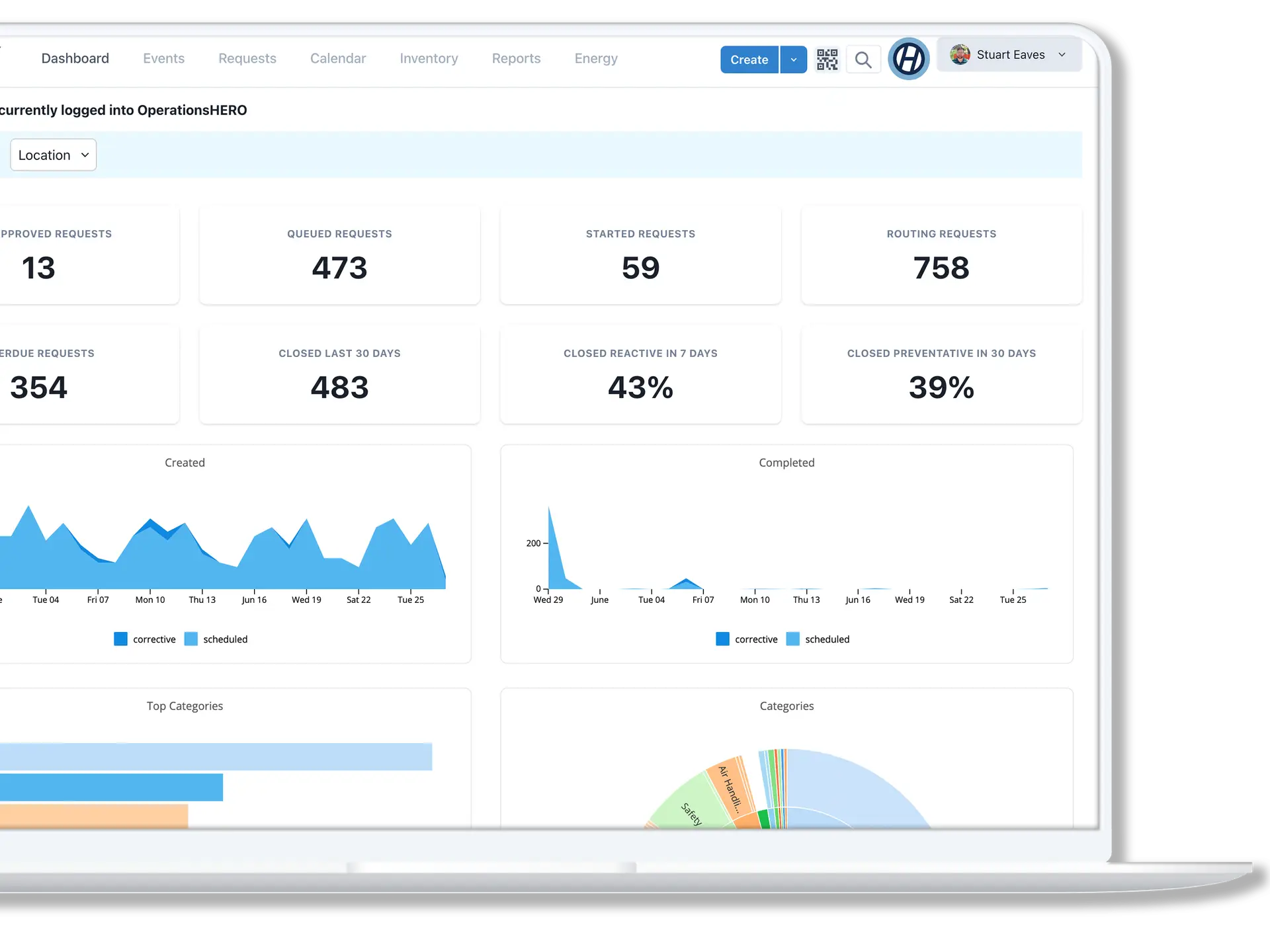
- Dashboard and report on all school operations
- Multiple workflows for maintenance, technology, custodial, and more.
- Empower your maintenance team
Work Orders Capabilities
What You Can Do
Easy Submissions
Staff submit requests via web or mobile in under 30 seconds
Smart Routing
Requests automatically route to the right team based on type and location
Priority Management
Flag urgent issues and manage workload across your team
Photo Attachments
Staff include photos so technicians arrive prepared
Status Updates
Automatic notifications keep requesters informed
Completion Tracking
Document work done with notes, photos, and time spent
Connected to HeroHQ
Works With Your Other Modules
Work Orders connects seamlessly with Inventory to track parts used, Automation to trigger follow-up tasks, and Planning for preventive maintenance scheduling.
Work Orders FAQ
Common Questions
-
Staff can submit requests through a simple web form or our mobile app. They select the location, describe the issue, add photos if needed, and submit—typically in under 30 seconds.
-
Yes, you can create custom categories, subcategories, and priority levels that match how your district operates. Most districts set this up during onboarding.
-
Technicians get notified via the mobile app, email, or both. They can view all their assigned work orders, update status, and document completion right from their phone.
-
Absolutely. Building administrators get visibility into all requests for their location, including status and completion history. They see their building, not the whole district.
Ready to streamline work orders?
See how Work Orders fits into your facilities management workflow. Try it free or schedule a personalized demo.