We used to order parts we already had sitting in another building. Now we can see everything across the district and transfer before we buy.
Inventory Management for School Facilities
Know What You Have, Where It Is
Stop the scavenger hunts. Track parts, supplies, and equipment across every building with real-time inventory that updates as your team works.

Screenshot coming soon
Everything You Need
Explore the key features that make Inventory powerful yet easy to use.
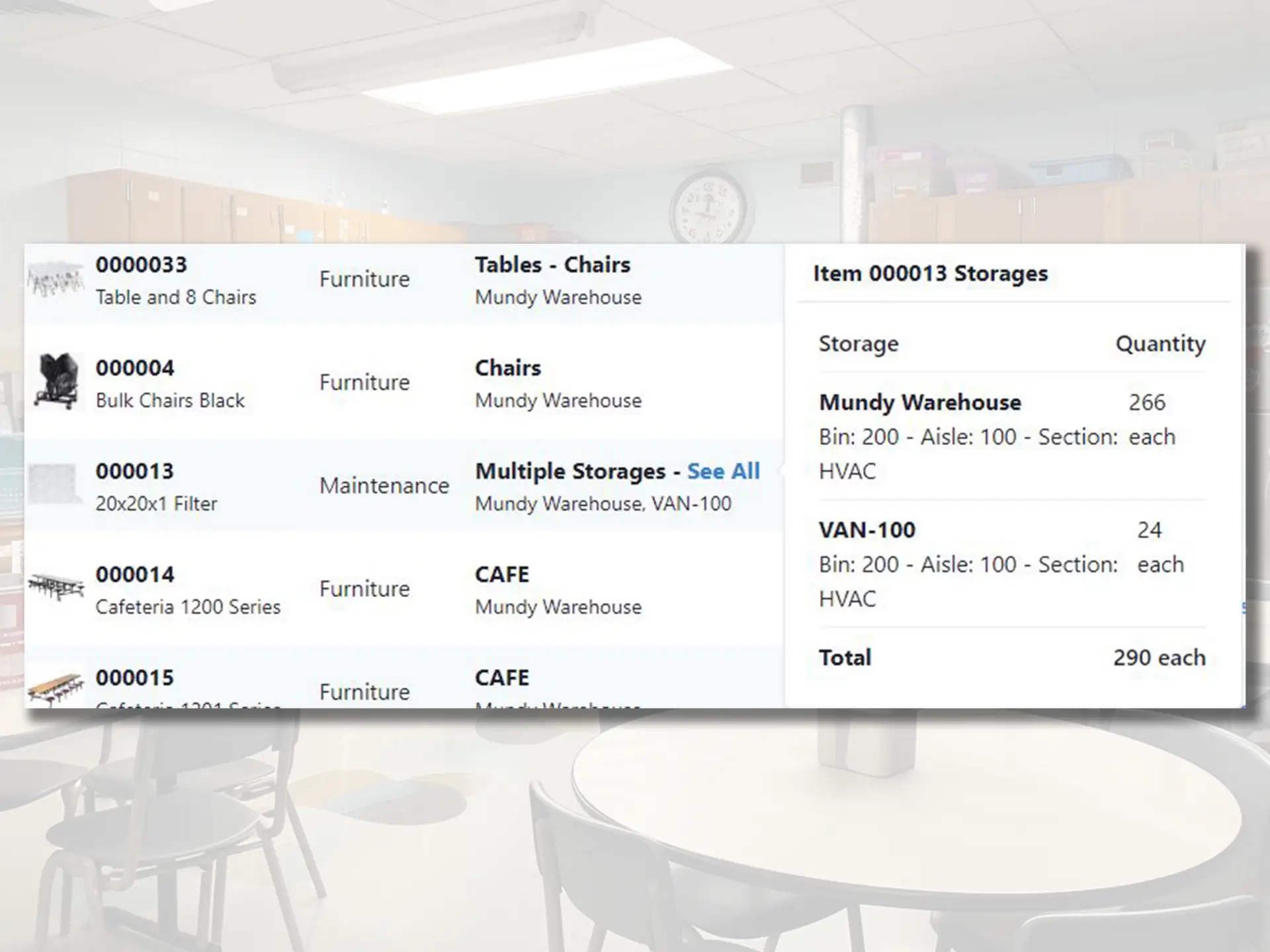
Manage Inventory
Complete inventory management across all locations
- Allow sites to request inventory
- Search and sort through items
- Check in and out inventory
- Manage inventory in multiple locations
- Bulk issue and restock inventory
- Audit inventory with QR codes and barcodes
Key Security
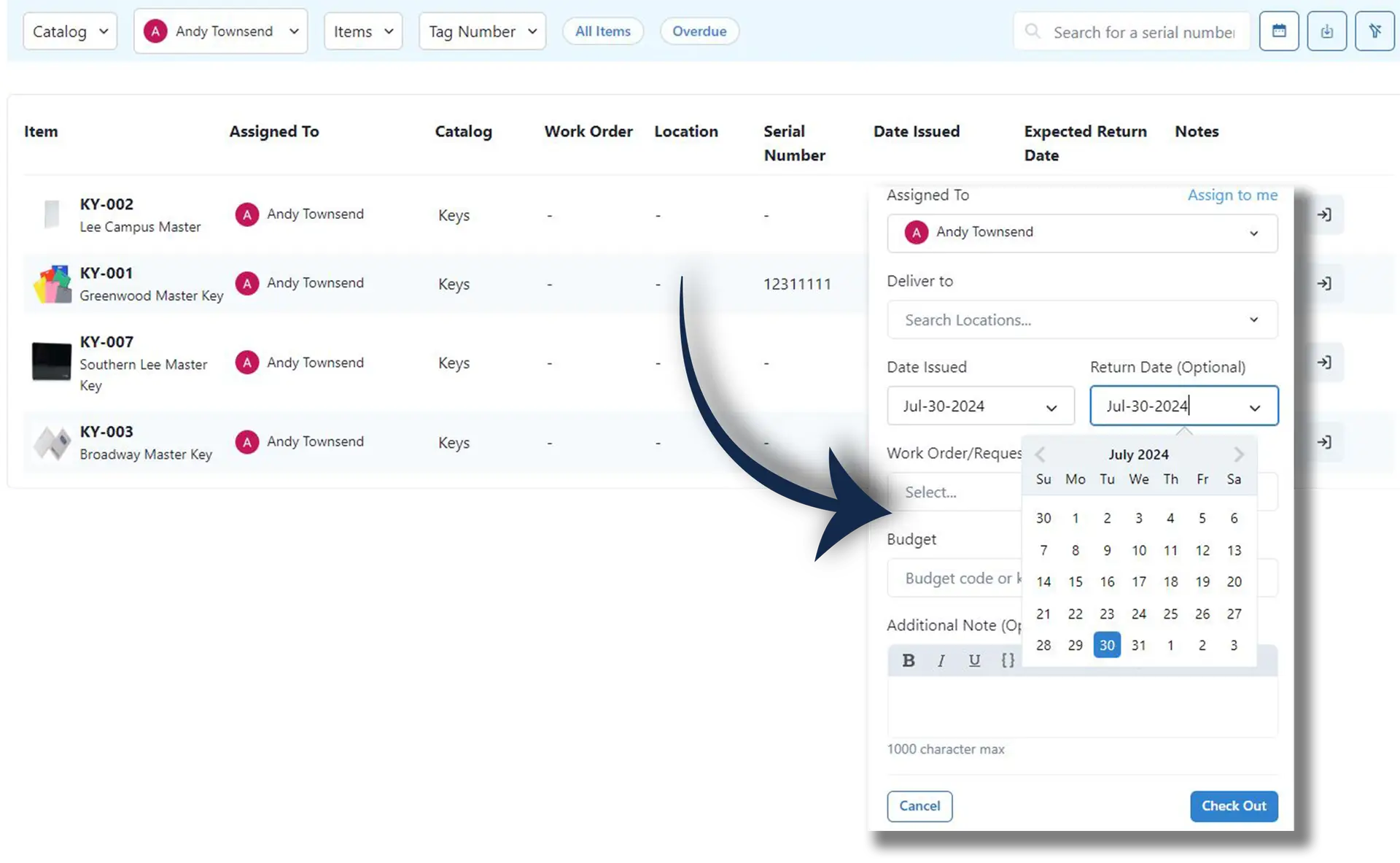
Track and manage key assignments across your district
- Easily Assign Keys
- Track individual key assignments
- Track assign and return dates
Easy To Use
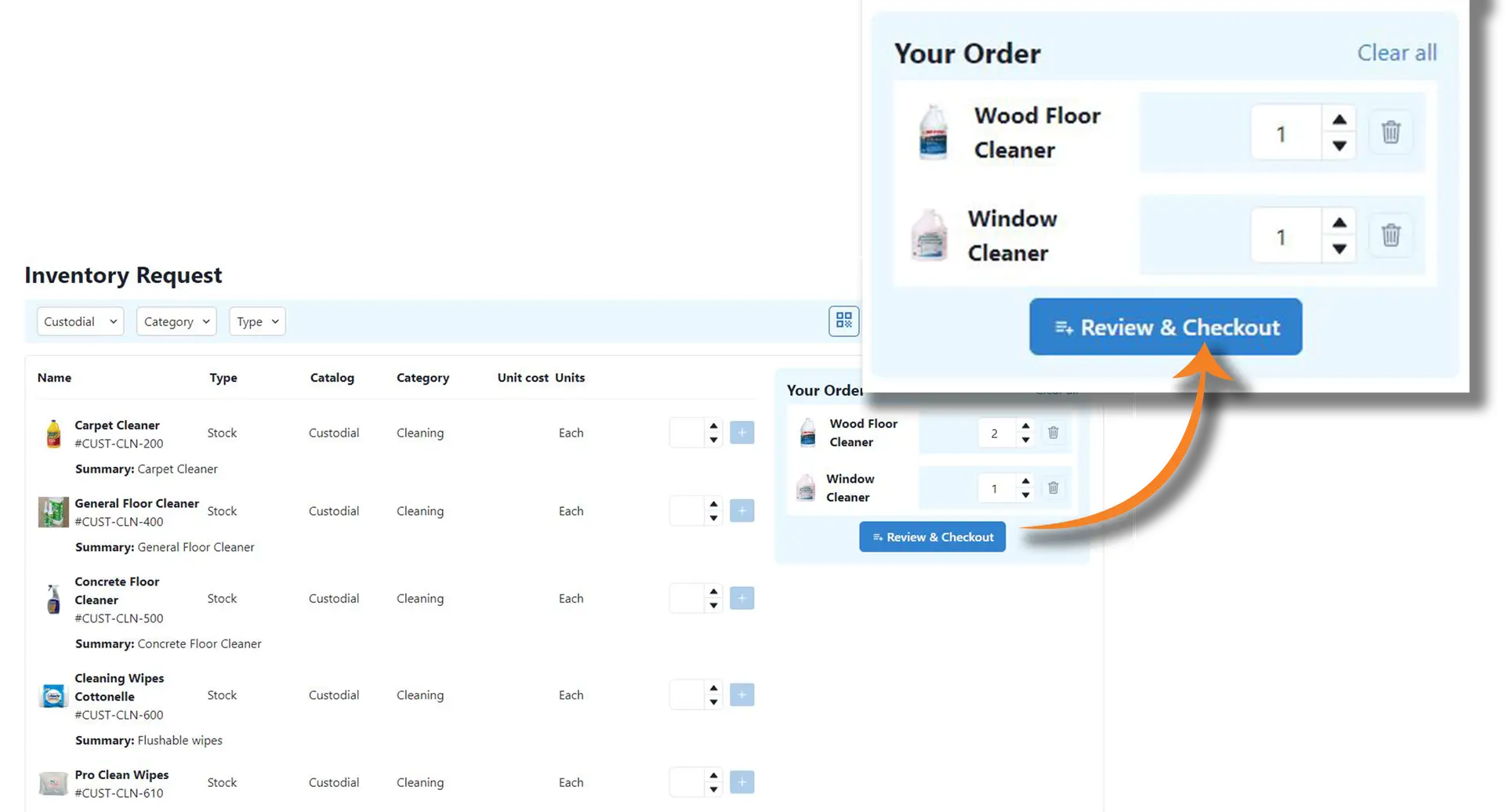
Provide everyone from requesters to technicians, a user-friendly platform to efficiently manage their tasks.
- Easily request, approve, and issue items for multiple requests
- Request process is similar to online retail shopping
- Fully integrated with HeroHQ - work order system
Flexible
Experience ultimate flexibility with our platform. Customize your view to only see the categories you manage, seamlessly import historical data and inventory, and access the system from any device with support for both light and dark modes.
- Only see the categories you manage or have access to
- Easily import historical data, inventory, or storage locations
- Works from any device and supports light/dark mode
Advanced Functionality
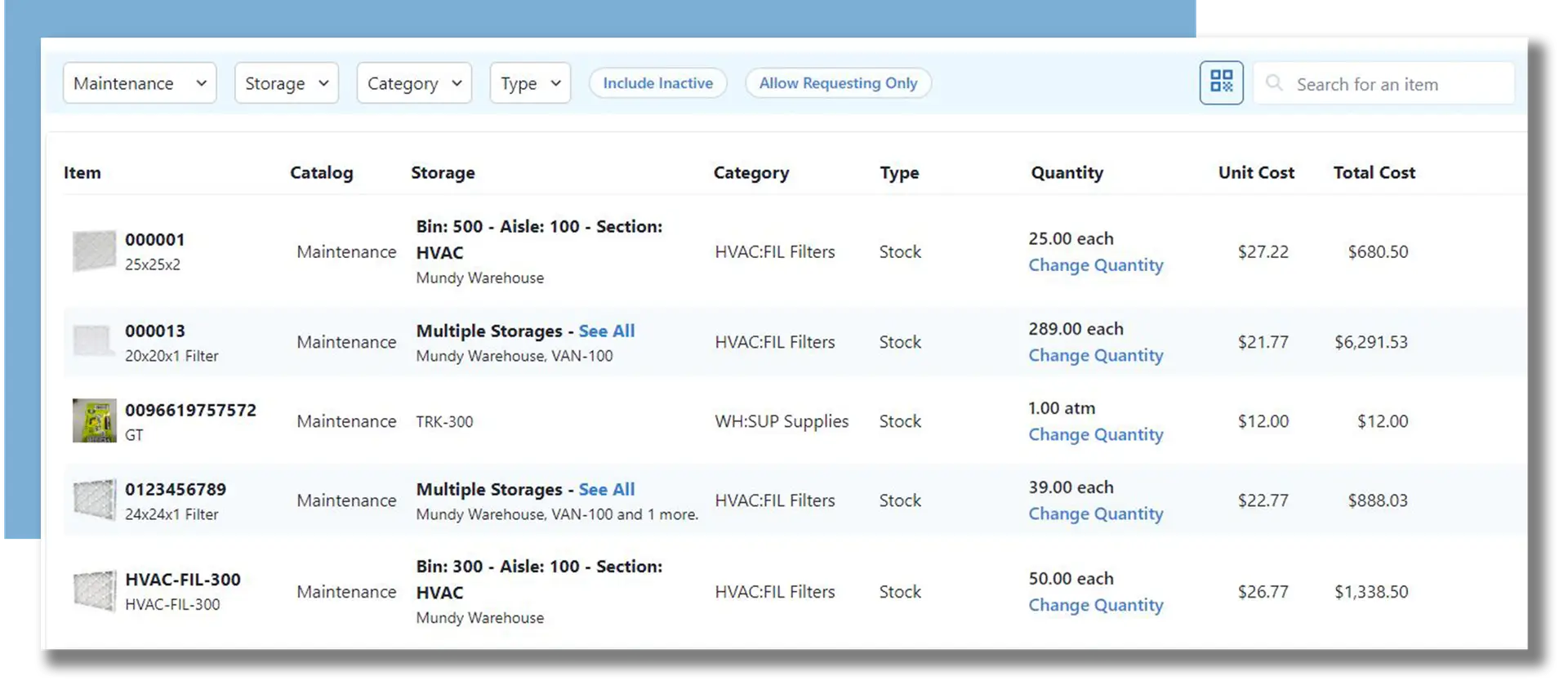
Quickly understand where criteria assets are located and manage your proactive maintenance.
- Manage all your consumable supplies, keys, and furniture
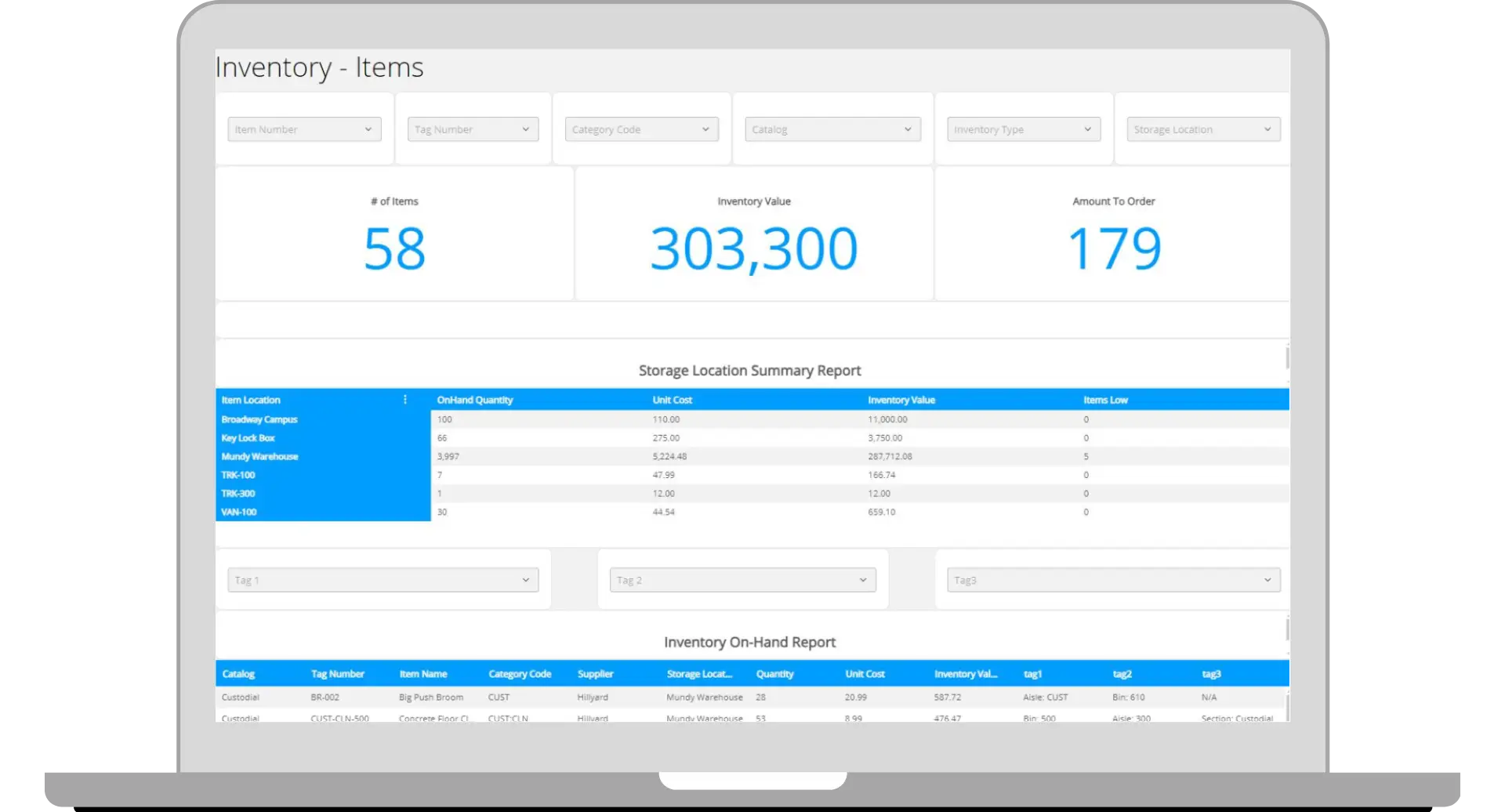
- Robust reporting for auditing on-hand value of supplies and materials
- Check-in/check-out system for keys, tools, and equipment for security
Inventory Capabilities
What You Can Do
Multi-Location Tracking
Track inventory across buildings, warehouses, and vehicles
Low Stock Alerts
Automatic notifications when items fall below reorder points
Barcode Scanning
Quick updates via mobile app barcode scanning
Usage History
See what was used, when, and on which work orders
Transfer Tracking
Move inventory between locations with full audit trail
Cost Tracking
Track inventory costs and spending by category
Connected to HeroHQ
Works With Your Other Modules
Inventory connects with Work Orders to track parts used on repairs, Planning for scheduled maintenance supplies, and Automation for reorder workflows.
Inventory FAQ
Common Questions
-
Yes, you can track inventory across unlimited locations—individual buildings, central warehouses, maintenance vehicles, even individual technician tool bags.
-
When completing a work order, technicians select parts used from a dropdown. Inventory updates automatically. They can also scan barcodes for quick updates.
-
We integrate with common procurement systems and can generate purchase requisitions when stock runs low. Talk to us about your specific setup.
-
Absolutely. Track fixed assets, portable equipment, tools, and consumable supplies all in the same system with different tracking rules for each type.
Ready to streamline inventory?
See how Inventory fits into your facilities management workflow. Try it free or schedule a personalized demo.