Last year we had 400+ community events. Without OperationsHERO, coordinating setup for all of those would have been a nightmare. Now it just happens.
School Event Management Software
Events Without the Chaos
From Friday night football to community meetings, coordinate every event detail. Facilities requests, setup tasks, and resource scheduling—all connected.

Screenshot coming soon
Everything You Need
Explore the key features that make Events powerful yet easy to use.
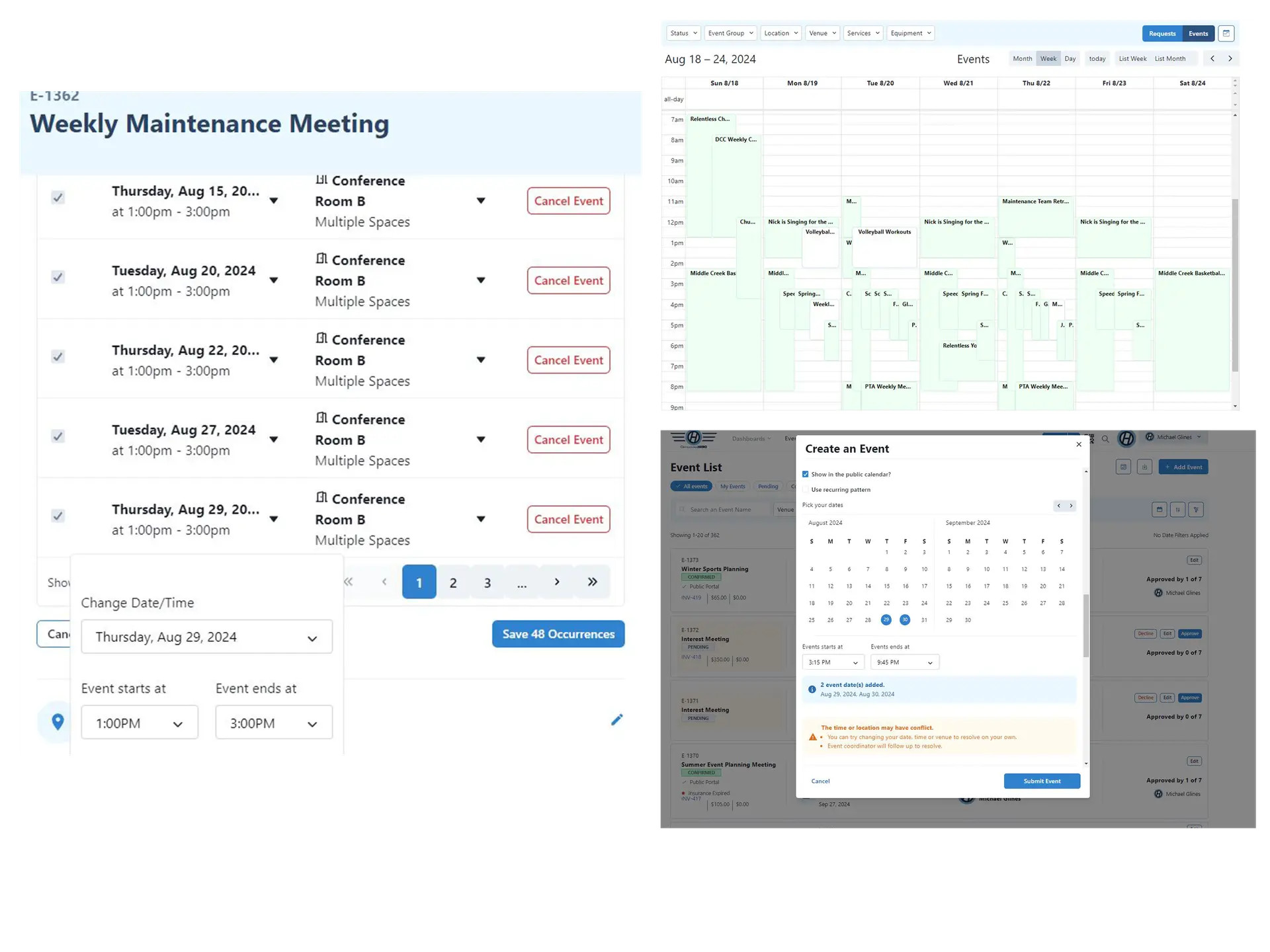
Calendars
Manage all your event calendars in one place
- Easily select available dates
- Schedule recurring events with daily, weekly, monthly and yearly options
- Conflict checking to prevent scheduling issues
- Bulk edit events to resolve conflicts
- Subscription feed for your locations and spaces
- Internal and external calendars for site and venue management
Event Scheduling
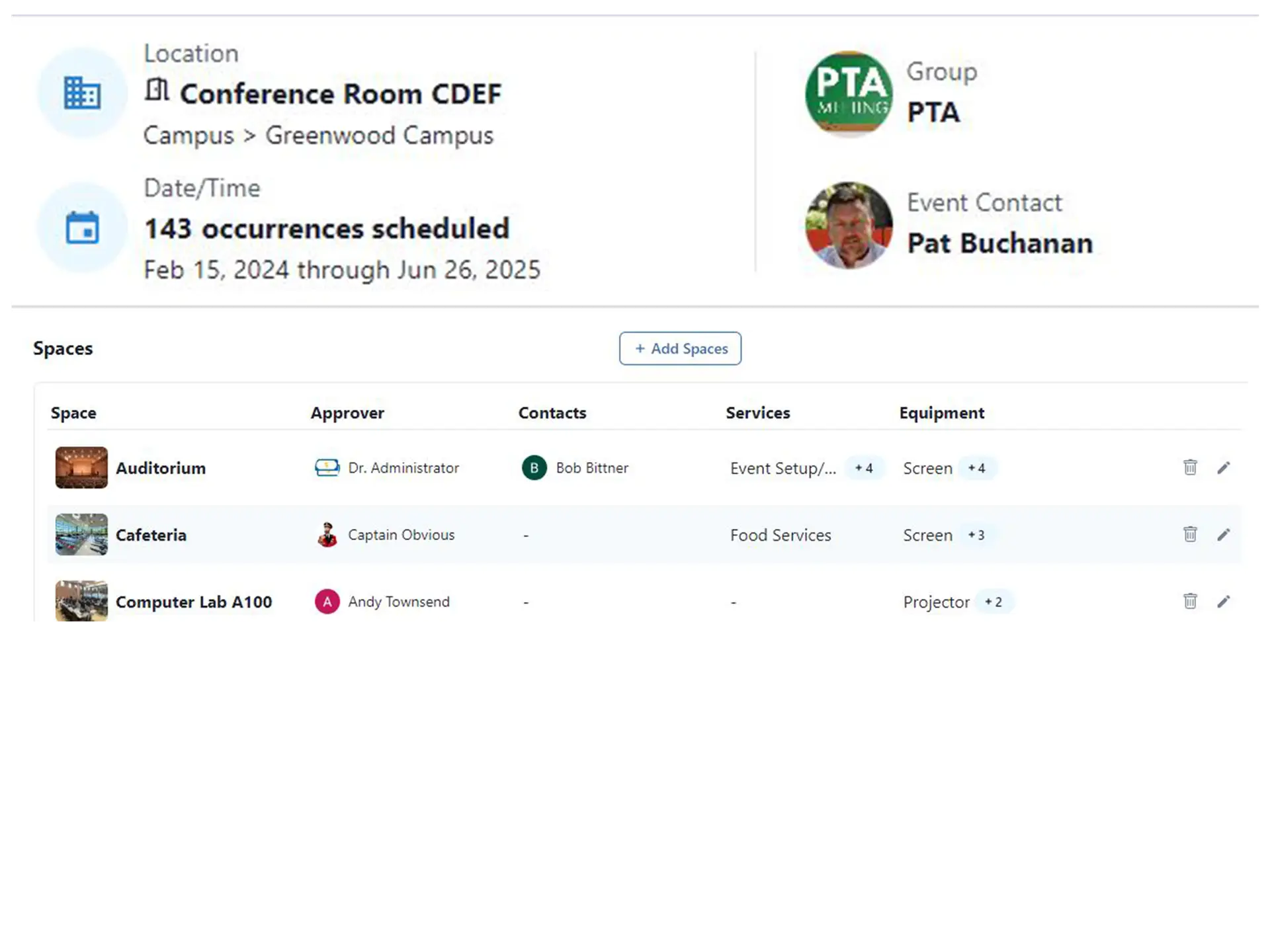
Powerful scheduling tools for events of any size
- Restrict minimum and maximum events from the portal
- Custom services and equipment options for venues
- Ability to have 100+ events on a schedule
- Different approval processes per room
Communication
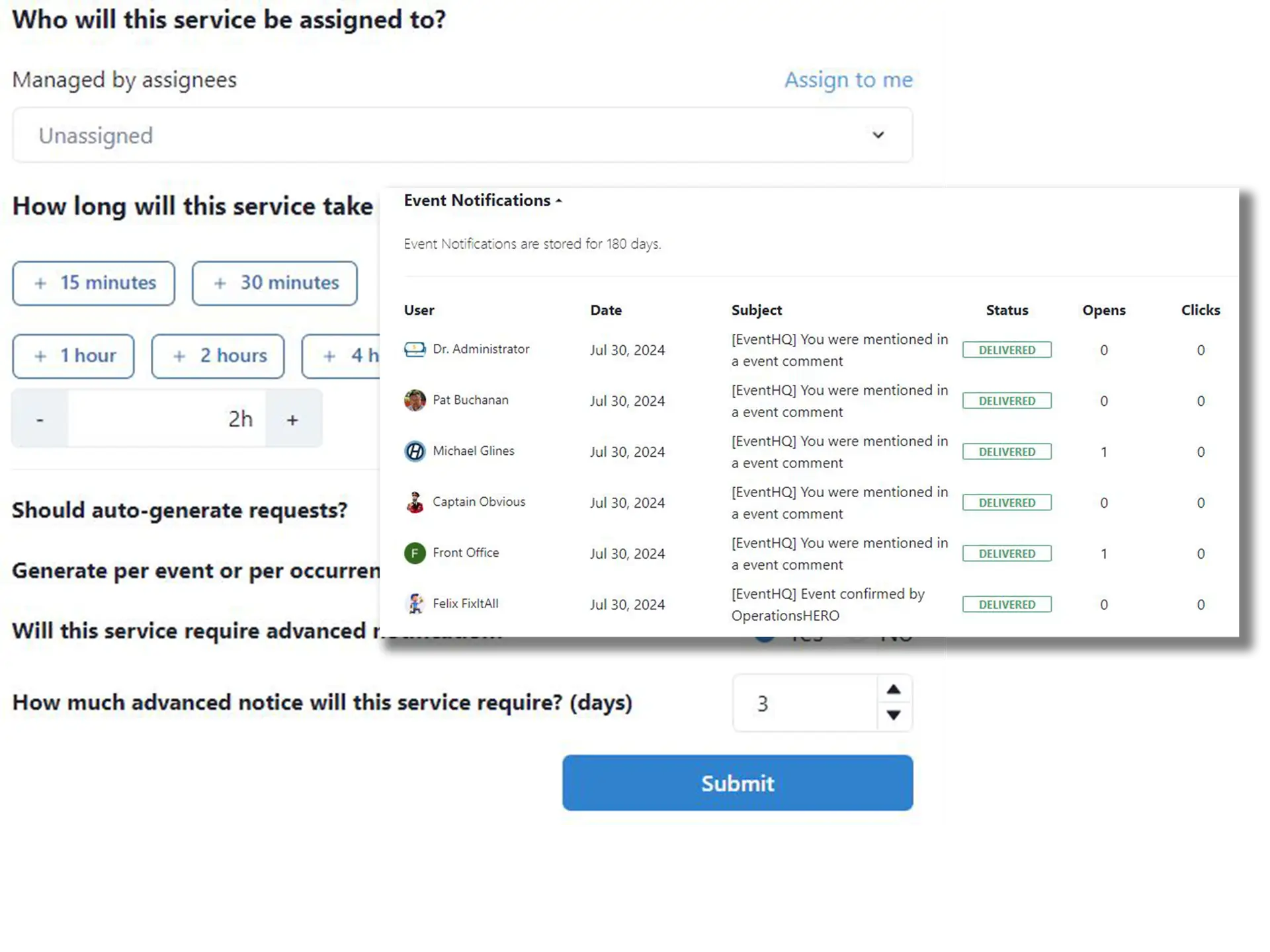
Keep all stakeholders informed automatically
- Automatically create tasks for services required
- Notify appropriate personnel for any event requirements
- Update all stakeholders on any event changes
Invoicing
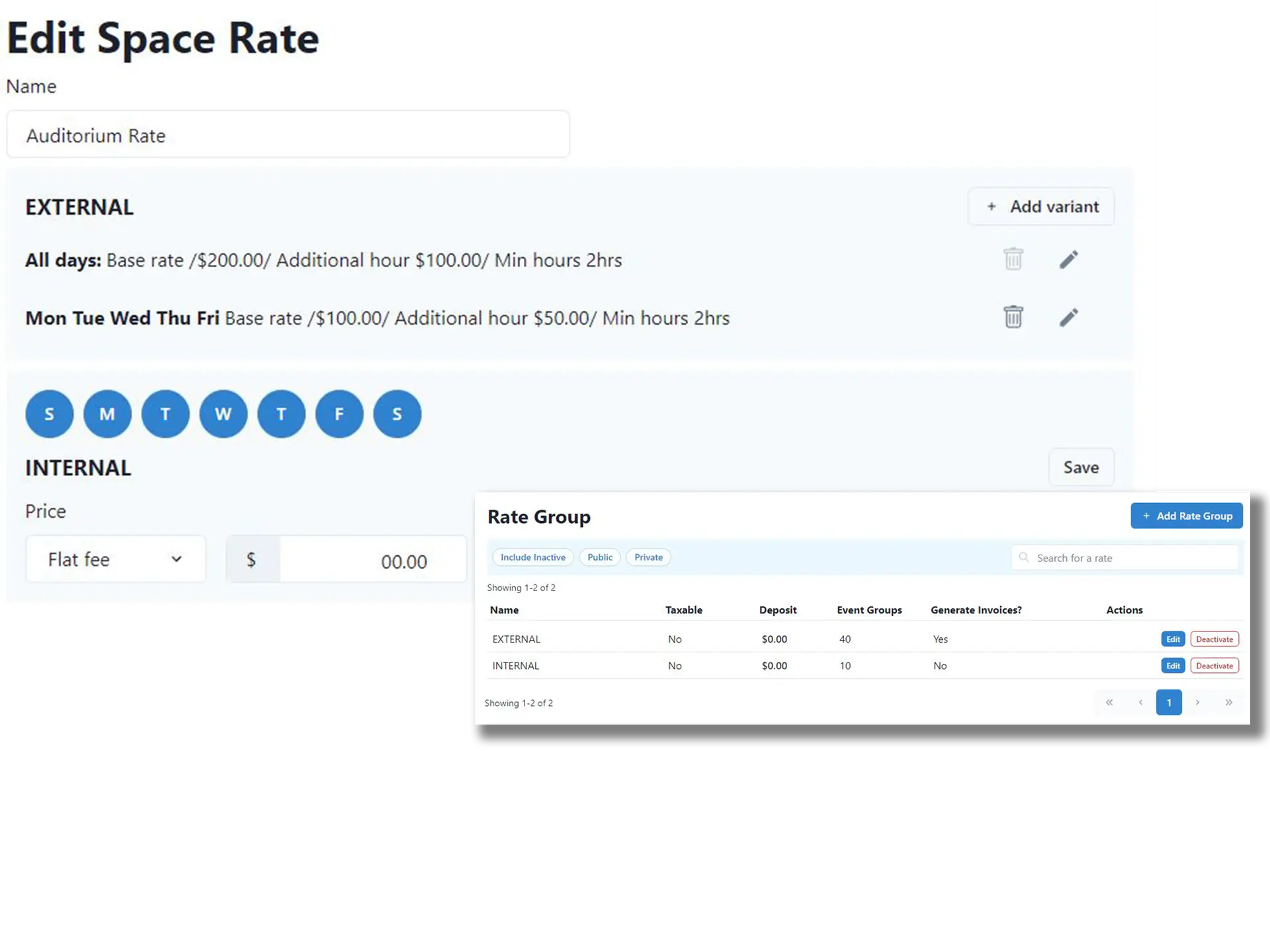
Streamline billing for facility rentals and events
- Provide quotes, invoices, and payments
- Rate Sheets for location, service, equipment and event fees
- Custom group rates for different organizations
Easy To Use
Provide everyone from requesters to technicians, a user-friendly platform to efficiently manage their tasks.
- Public portal for external users and requesters to submit online
- Customizable approval processes for site based and campus-level approvals
- Tasks fully integrated with the work order process
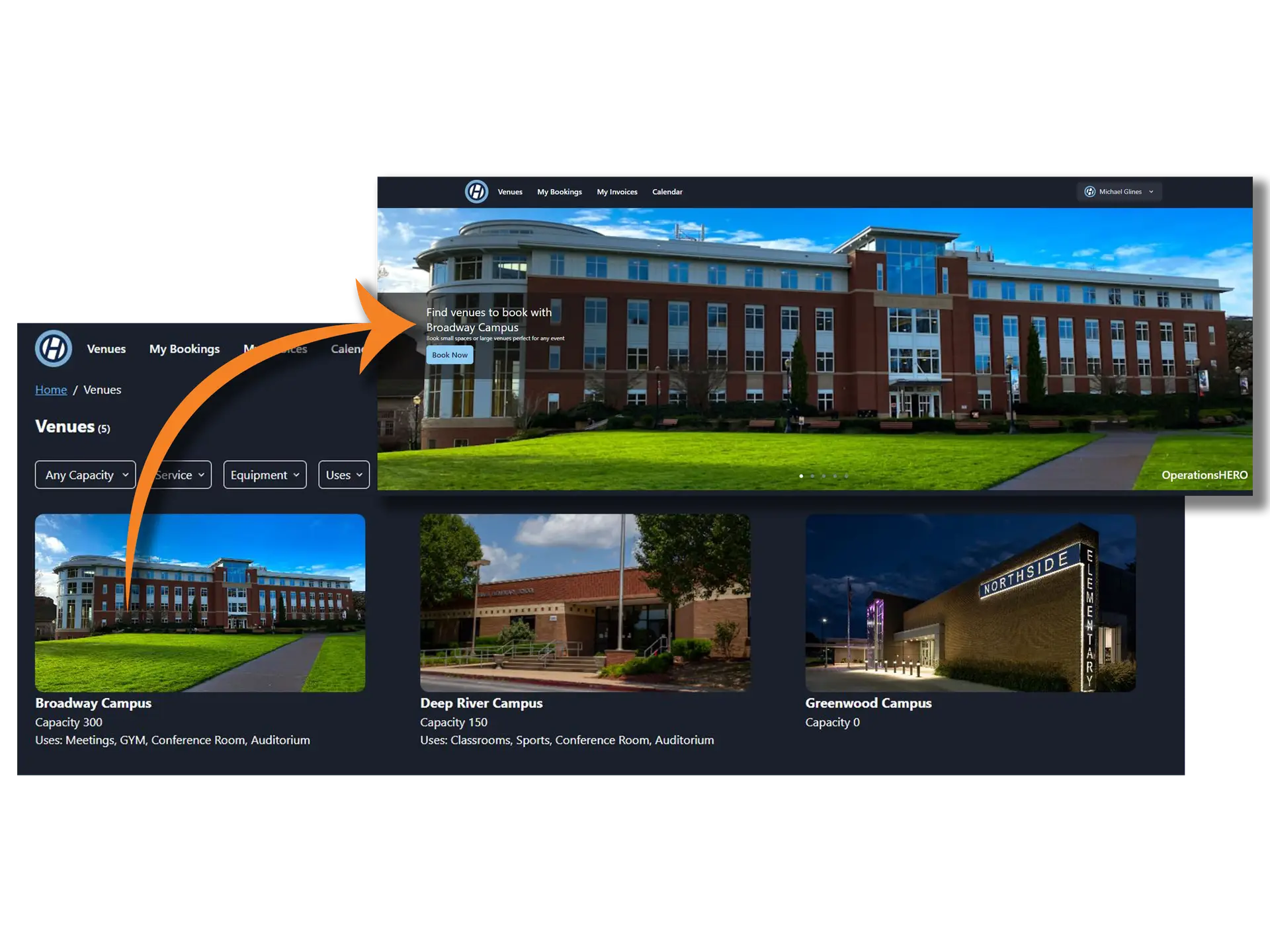
Flexible
Experience ultimate flexibility with our platform. Customize your view to only see the categories you manage, seamlessly import historical data and inventory, and access the system from any device with support for both light and dark modes.
- Each space can have its own requirements, services, equipment, and approvals
- Services for events can be automatically created and assigned
- Bulk update, approve, or change events with ease
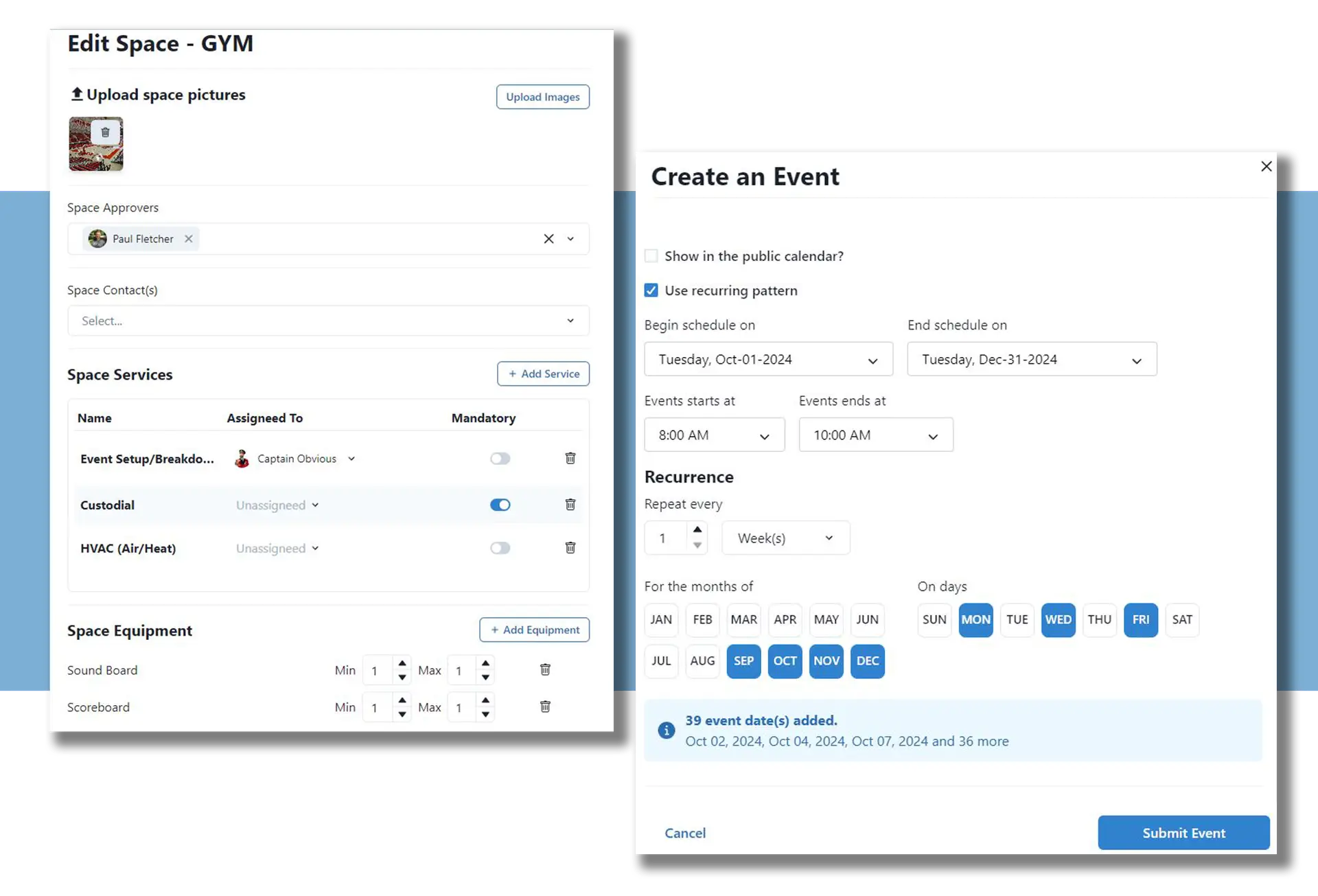
Advanced Functionality
Quickly understand where criteria assets are located and manage your proactive maintenance.
- Multiple workflows for internal vs external events
- Automatic creation of invoices
- Integration with building automation systems
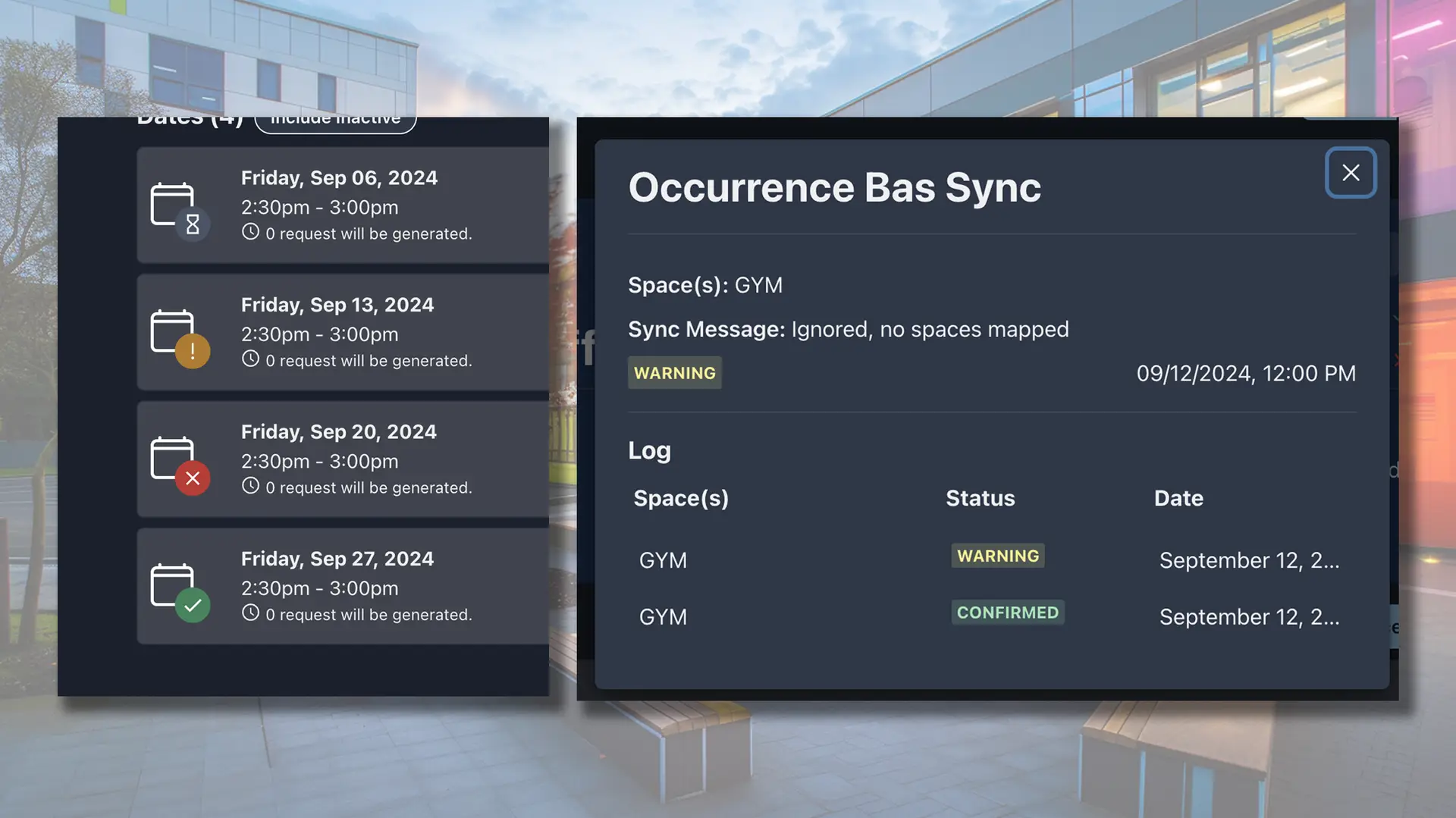
Events Capabilities
What You Can Do
Facility Requests
Easy online forms for internal staff and community groups
Conflict Detection
Automatic alerts when spaces are double-booked
Resource Scheduling
Book equipment, chairs, tables, and A/V alongside the space
Setup Checklists
Auto-generate setup and teardown tasks for custodial staff
Approval Workflows
Route requests through appropriate approvers automatically
Community Portal
Public-facing portal for community facility rentals
Connected to HeroHQ
Works With Your Other Modules
Events connects with Work Orders for setup tasks, Automation for approval workflows, and Inventory for tracking equipment and supplies used.
Events FAQ
Common Questions
-
Yes, we offer a public-facing portal where community organizations can view available spaces, submit requests, and track approval status.
-
Events can be set up as recurring with flexible patterns—weekly, monthly, or custom schedules. All instances can be managed together or individually.
-
Yes, you can configure fee schedules based on space type, organization type (community vs. school), and time of use. The system tracks what's owed.
-
When events are approved, setup tasks automatically generate and appear in the custodian's task list with all the details: room configuration, equipment needed, and timing.
Ready to streamline events?
See how Events fits into your facilities management workflow. Try it free or schedule a personalized demo.